Practical Implementation of Multi-Agent Systems

One agent is helpful. Two agents are a team. Five agents with no clear responsibilities are a meeting that should have been an email.
Multi-agent systems are one of the most exciting (and most over-hyped) ideas in the agentic AI space right now. The promise is that instead of building one enormous agent that does everything badly, you build several focused agents that each do one thing well, and then let them work together. The reality is that this only works if you are deliberate about why you're splitting the work up and how the agents talk to each other.
I presented this session as part of Copilot: Zero to Hero, a free online community series (part of the M365 SA meetup) that ran from July to November 2025. The series was run by a wonderful group of "co-conspirators": Tracy van der Schyff, Carike Botha, Jason Baxter, Alistair Pugin and Warren du Toit, with me tagging along. In true community fashion, every one of us was also given a nickname on the slides. Mine was "Fay Fay Soup Kitchen De Vil". I'm choosing not to explain that one.
Start with context
Before we got anywhere near multiple agents, we went back to basics: what an agent actually is, and why context grounding matters. I've written about that in more detail in The Hitchhiker's Guide to Context Grounding Your Copilot, but the short version is this:
- A chatbot takes a question and returns an answer.
- An agent takes a question, grounds itself in a trusted source of knowledge, and then acts, by triggering a flow, running on a schedule or calling another system.
Multi-agent systems take that one step further. An agent's "action" can be calling another agent.
A good example from the Copilot Studio world is an autonomous IT helpdesk agent. A new email arrives (the trigger), the agent follows its instructions (the prompt), works out what it needs to do using your data and knowledge (the plan), and responds with an outcome.
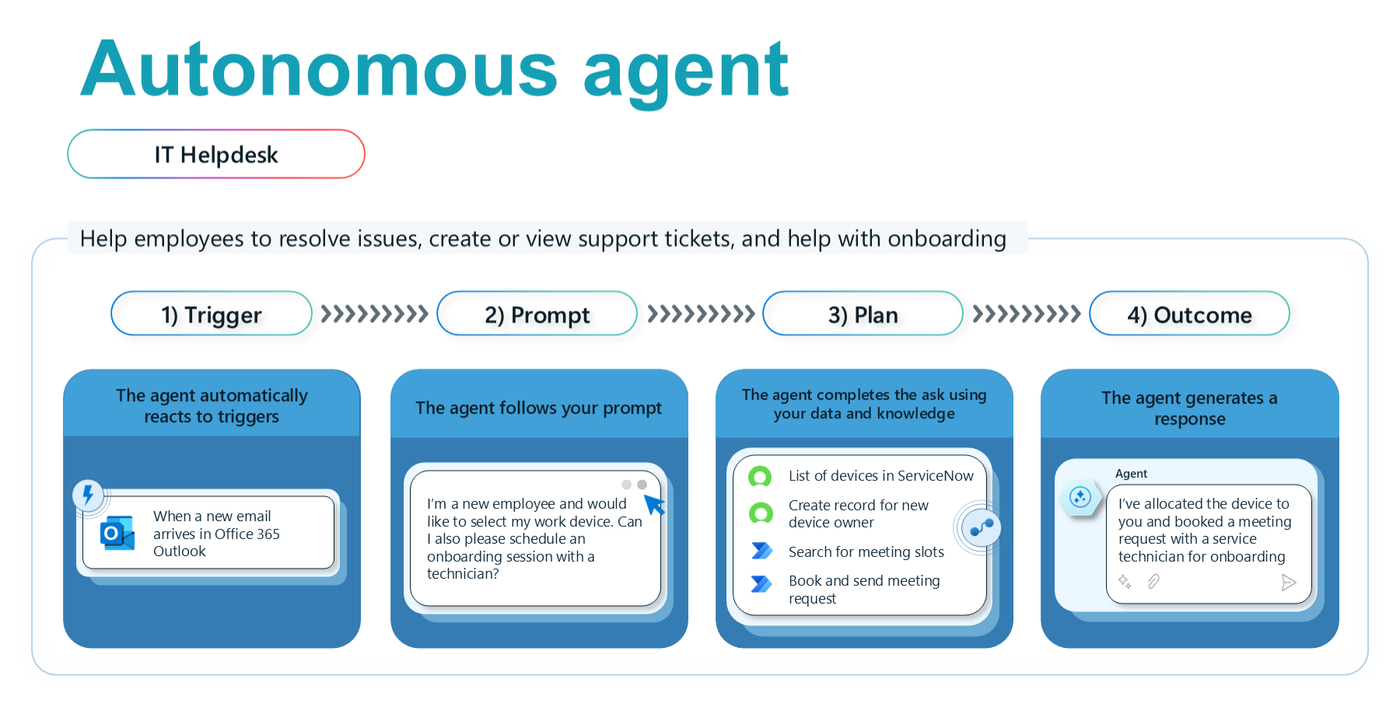
An autonomous agent reacting to an email: look up devices, create a record, find a meeting slot and book it.
In that example, one agent is doing four quite different jobs: looking up devices in ServiceNow, creating a record for the new device owner, searching for meeting slots and booking the meeting. That works. But it also starts to hint at where splitting responsibilities might help as the scenario grows.
The principles of multi-agency
So when should you go multi-agent? I find it helps to start with the principles a good multi-agent system should satisfy, and then ask whether your scenario actually needs them.
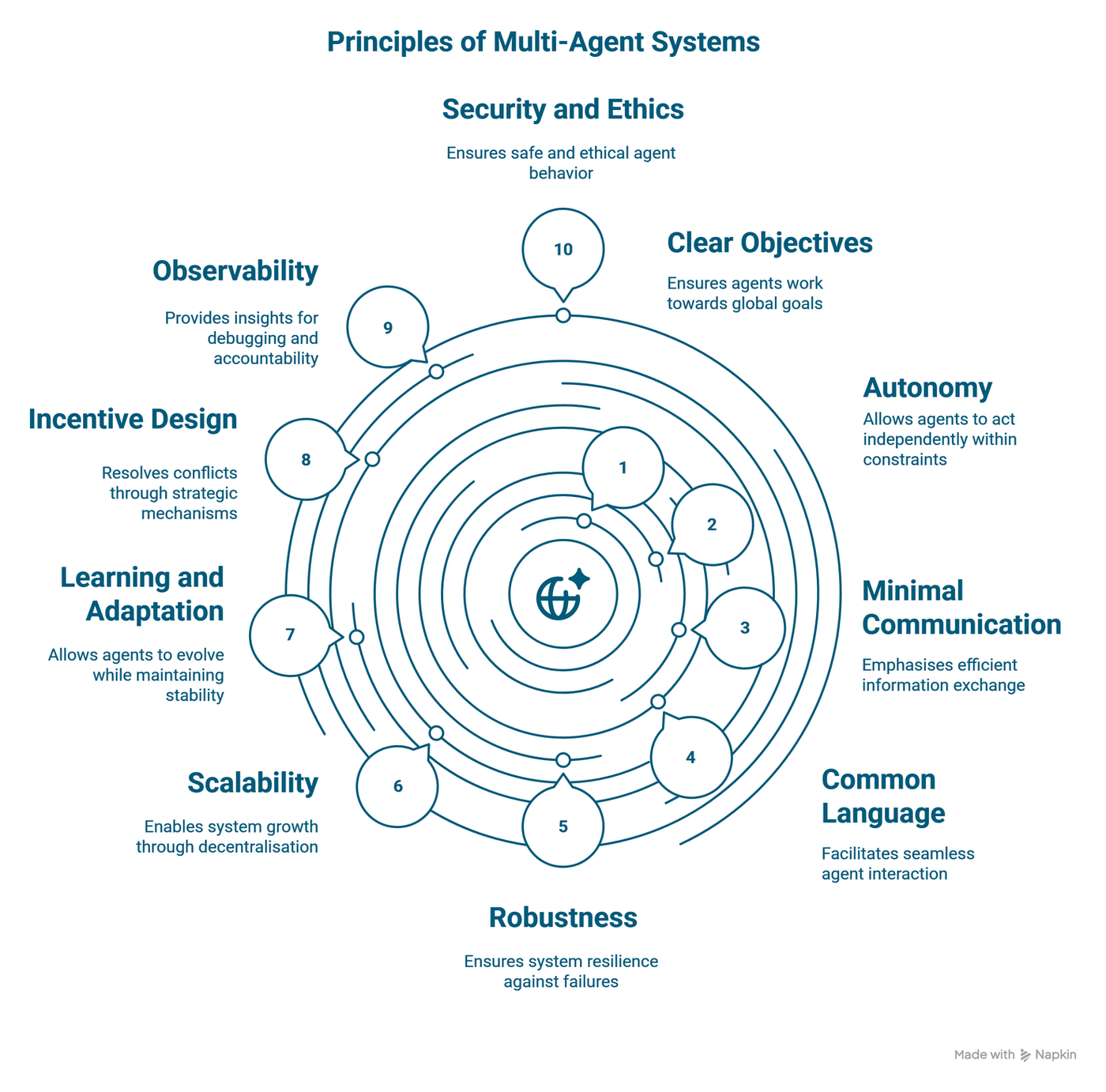
Ten principles to keep a multi-agent system from turning into multi-agent chaos.
- Autonomy: agents can act independently, within constraints.
- Minimal communication: agents exchange information efficiently, not chattily.
- Common language: agents can interact seamlessly because they agree on how to talk.
- Robustness: the system is resilient when one part fails.
- Scalability: the system can grow through decentralisation rather than one giant brain.
- Learning and adaptation: agents can evolve while the system stays stable.
- Incentive design: conflicts are resolved through strategic mechanisms, not luck.
- Observability: you can see what happened, for debugging and accountability.
- Security and ethics: agents behave safely and ethically.
- Clear objectives: every agent works towards the overall goal.
If you read that list and think "that sounds like a well-run team", you're not wrong. Most of the ways multi-agent systems fail are the same ways human teams fail: unclear objectives, too much chatter, nobody knowing who's responsible, and no one able to explain afterwards what went wrong.
When to multi-agent (and when not to)
This is where I'd encourage a bit of restraint. Based on those principles, a multi-agent design starts to make sense when:
- the work naturally splits into distinct responsibilities, each with its own knowledge or tools;
- you want to reuse a specialised agent in more than one solution;
- different parts of the solution are owned or built by different teams or platforms.
If your scenario is a single, well-bounded task with one knowledge source, a single agent is usually simpler to build, test, secure and observe. Adding agents adds communication, and every principle above becomes something you have to design for. Start simple and earn the complexity.
Orchestrating agents in Copilot Studio
Copilot Studio supports multi-agent orchestration directly, which makes this a lot more practical for low-code makers than it used to be.
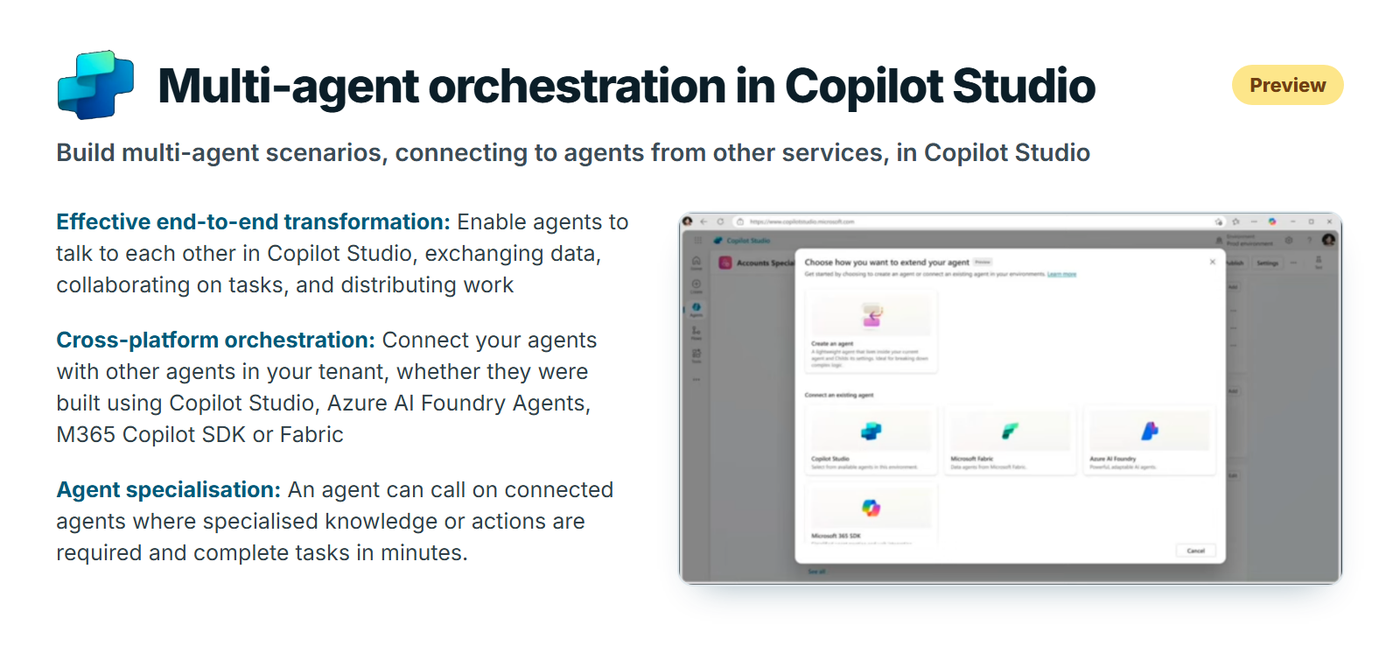
Connecting agents across Copilot Studio, Azure AI Foundry, the Microsoft 365 Agents SDK and Fabric.
Three ideas stood out:
- End-to-end transformation: agents can talk to each other in Copilot Studio, exchanging data, collaborating on tasks and distributing work.
- Cross-platform orchestration: you can connect your agents to other agents in your tenant, whether they were built in Copilot Studio, Azure AI Foundry, the Microsoft 365 Agents SDK or Fabric.
- Agent specialisation: an agent can call on connected agents when specialised knowledge or actions are needed.
On top of that, every agent still has access to the usual Copilot Studio actions: 1,400+ prebuilt Power Platform connectors, custom connectors, Power Automate flows, AI Builder prompts and skills. So a "specialist" agent can be as simple as one that knows how to call one API really well.
The practical scenario: planning a trip
For the demo, I kept things deliberately simple, because the pattern matters more than the use case. The build happened in four steps.
1. Start with a single agent
Create an agent that performs a single action and has a single responsibility. In the demo, that was a Trip Planner: name, description, instructions and knowledge, nothing more.
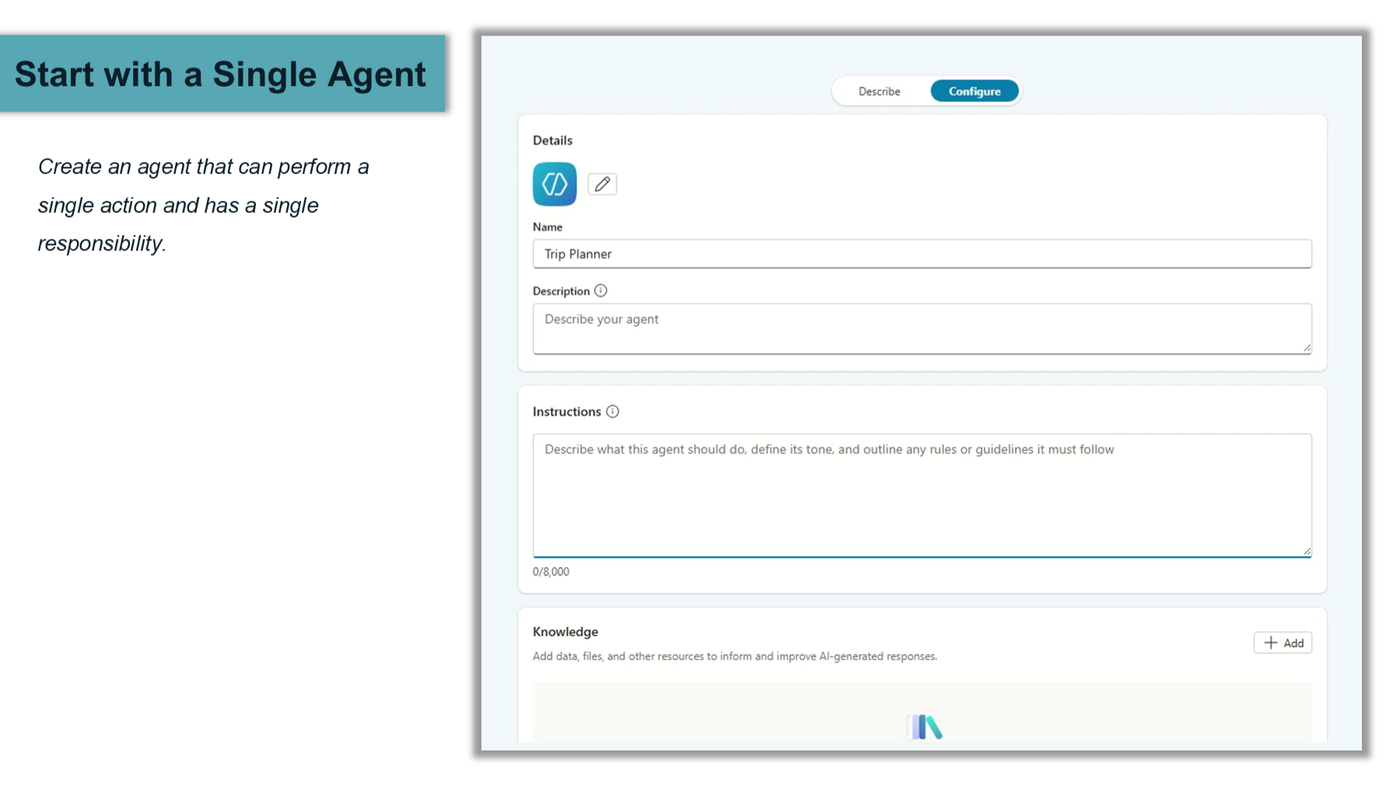
One agent, one job. Resist the urge to give it three more.
2. Prompt the single agent
Test it on its own and make sure it returns the output you expect based on its instructions. If a single agent can't do its one job reliably, adding more agents won't fix it. It'll just give the problem friends.
3. Bring multiple "single" agents together
Next, create an agent that calls multiple single agents and uses their output to build a better collective answer to the user's query. In the demo, that was a Travel Planner that asks for the desired destination, checks weather conditions, suggests the best travel dates based on the weather, and provides estimated travel prices.
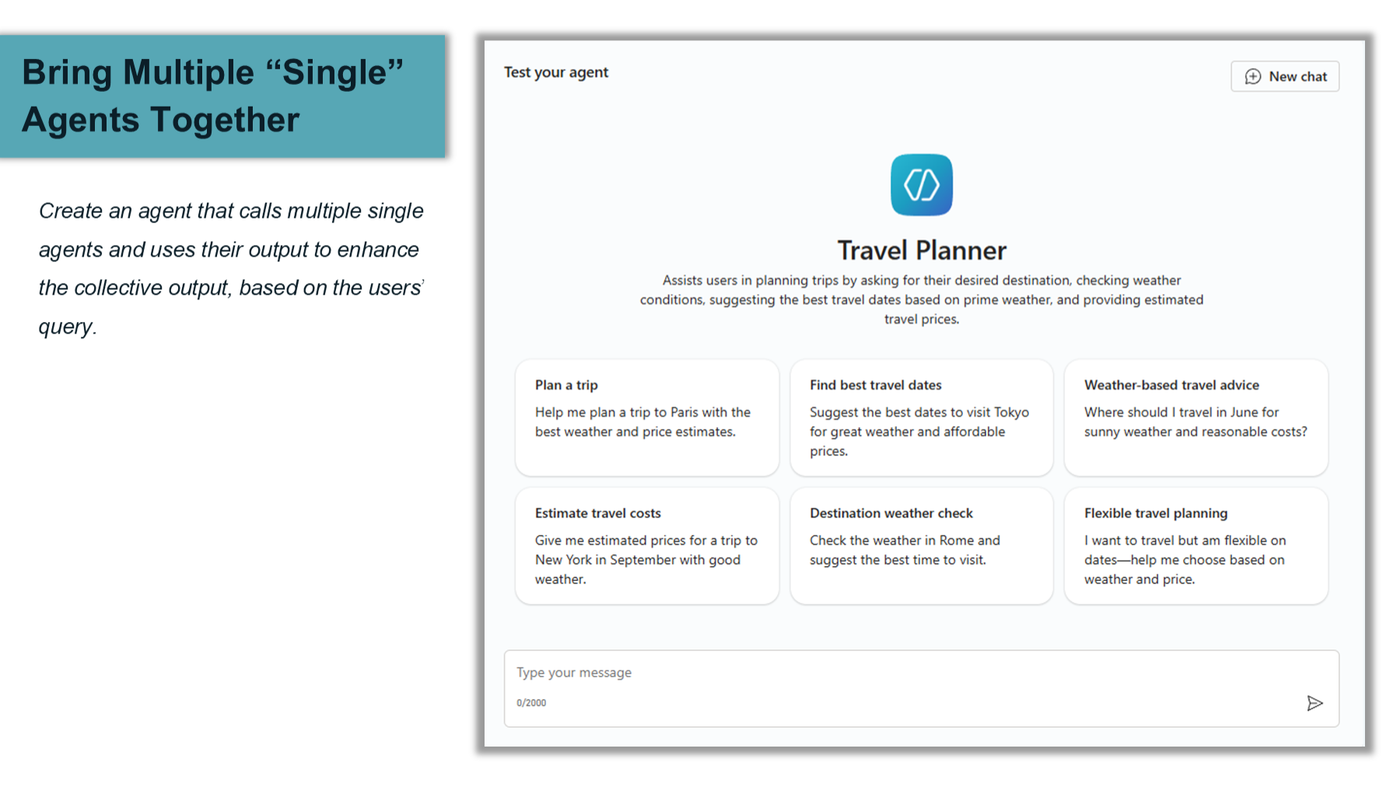
The Travel Planner brings the specialists together: dates, weather and prices.
4. Prompt the multi-agent
Finally, prompt the orchestrating agent and check that it brings together the output of the individual agents according to their instructions. This is where observability earns its place: when the answer is wrong, you want to be able to tell which agent got it wrong.
Practical takeaways
- Single responsibility first. Build and test each agent on its own before connecting anything.
- Earn the complexity. Only split into multiple agents when responsibilities, knowledge or ownership genuinely differ.
- Design the conversation between agents: a common language and minimal communication.
- Make it observable. If you can't trace which agent did what, you can't fix it or govern it.
- Keep the objective clear. Every agent should be able to say how it contributes to the user's actual goal.
Conclusion
Multi-agent systems aren't magic, and they aren't a requirement for every scenario. But when you start from well-scoped single agents and follow a few sensible principles, getting agents to do nice kumbaya things together is very achievable, even in low-code.
A huge thank you to Tracy, Carike, Jason, Alistair and Warren for the series, and to everyone who joined online. Recordings and the schedule are available at copilotzerotohero.co.za.