The Ultimate Guide to Learning Power Platform
"Where do I start?" is probably the question I get asked most about Power Platform. It's a fair question. The platform has grown into a whole family of products, and the internet is overflowing with tutorials, docs, videos, certifications and opinions. The hard part usually isn't finding learning content – it's knowing what to learn, in what order, and which content to trust.
I spoke about exactly this at JoziPUG, the Johannesburg Power Platform user group, in a session called The Ultimate Guide to Learning Power Platform. This post is the written version: what's in the platform, how roadmaps can give your learning some structure, and the free resources I pointed everyone to.
First, what are we actually learning?
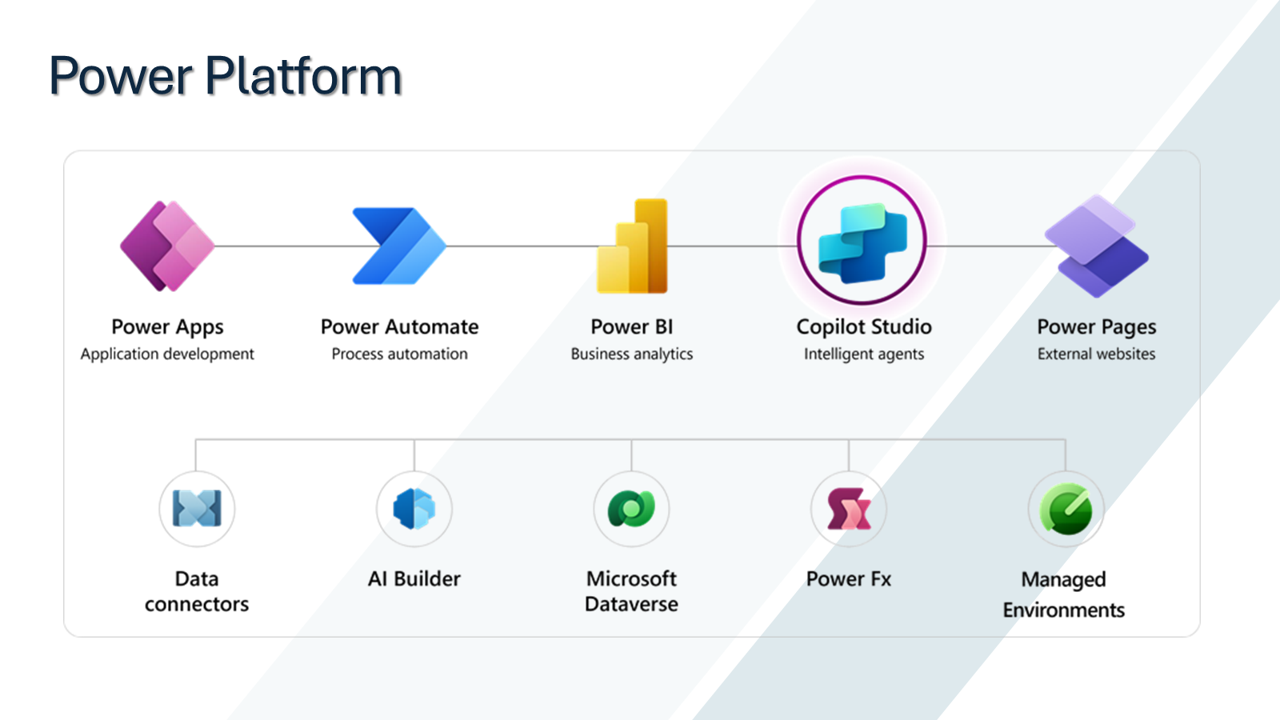
Five core products sitting on a shared set of capabilities.
Power Platform is made up of five core products:
- Power Apps – application development
- Power Automate – process automation
- Power BI – business analytics
- Copilot Studio – intelligent agents
- Power Pages – external websites
Underneath those sit the capabilities that tie it all together: data connectors, AI Builder, Microsoft Dataverse, Power Fx and Managed Environments.
That picture matters for learning, because nobody needs to master all of it at once. If you know where each piece fits, you can pick a starting point that matches your job (an app, a flow, a report or an agent) and branch out from there, rather than trying to drink from the firehose.
Use a roadmap, not a random playlist
The trap most people fall into is learning by search engine. You Google a problem, watch whichever video comes up first, fix the thing and move on. It works in the moment, but you end up with a patchwork of knowledge and some surprising gaps.
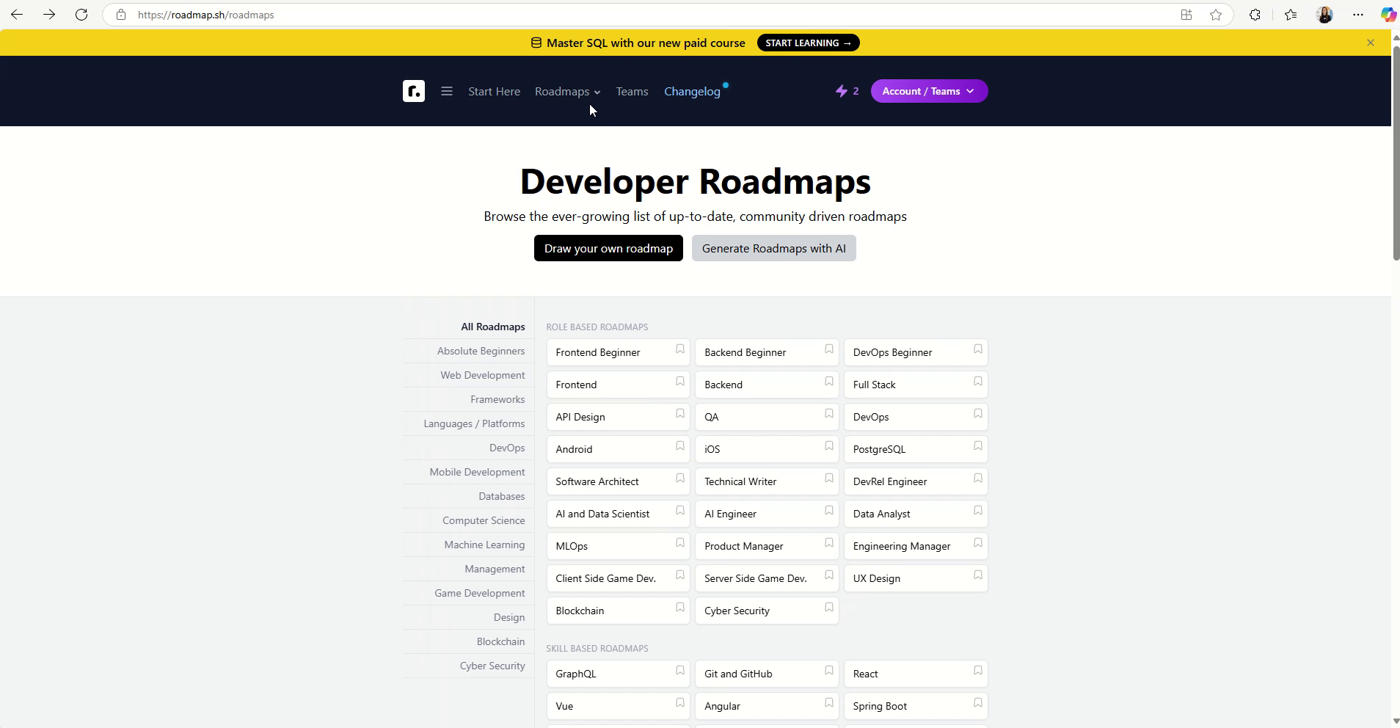
roadmap.sh hosts an ever-growing list of community-driven roadmaps, including my Power Platform roadmap: https://roadmap.sh/r/power-platform-2w4fl
This is where roadmap.sh comes in. If you haven't come across it, roadmap.sh is a site of community-driven developer roadmaps, with role-based roadmaps (frontend, backend, DevOps, data analyst, AI engineer and many more) and skill-based roadmaps (Git and GitHub, GraphQL, React and so on). Each roadmap lays out the topics for a role or skill in a logical order, so you can see the whole journey, track where you are and spot what you've skipped.
And the best news for this crowd: I created a Power Platform roadmap on roadmap.sh – all things Power Platform in one place. That's what I demoed during the session.
What goes into a good learning path
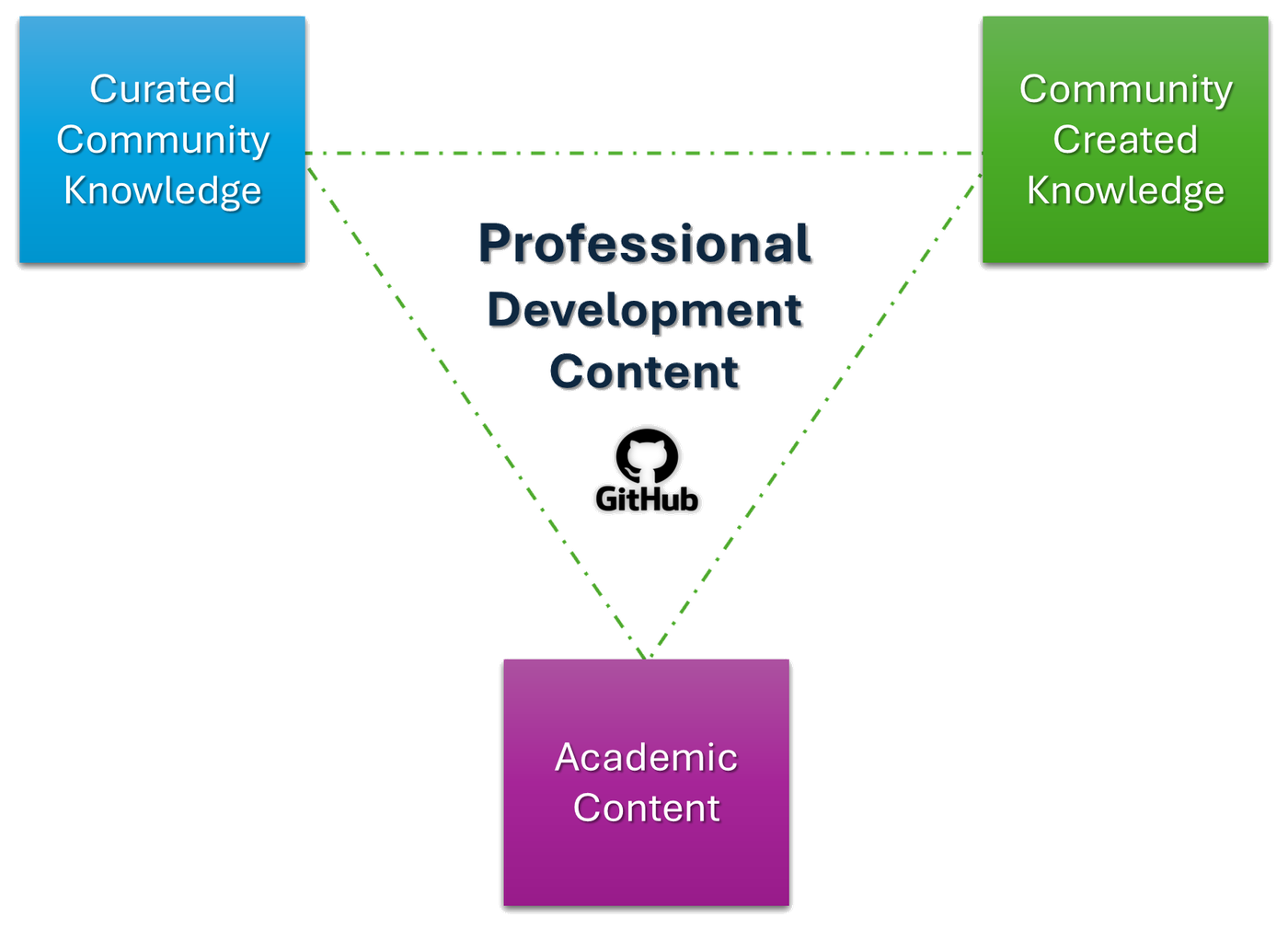
A strong Power Platform learning path draws on three kinds of content.
When you're working through a roadmap, the resources linked to each topic generally fall into three groups, and the best learning comes from combining them:
- Curated community knowledge – content the community has gathered, checked and organised, so you're not wading through everything yourself.
- Community created knowledge – the blogs, videos, samples and talks that practitioners create from real-world experience. This is where you learn the "it says this in the docs, but in practice…" lessons.
- Academic content – structured material that teaches the fundamentals and the "why", not just the "how".
Sitting in the middle of all three is professional development content: material aimed at taking you from "I can build a thing" to "I can build the right thing, properly, in a way that survives contact with production".
A practical way to use this: for every topic on the roadmap, try to tick off at least one structured resource (to understand the concept) and one community resource (to see how people actually use it). Then build something small with it. Reading about Dataverse is useful; creating a table and breaking it is better.
A free, open learning repo on GitHub
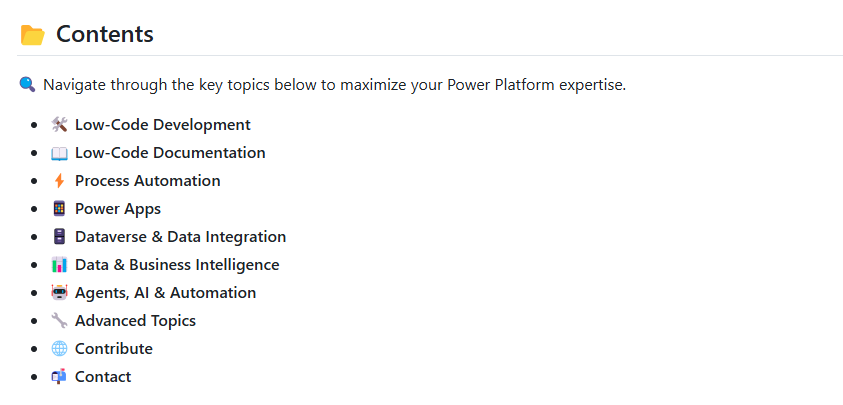
The Power Platform repo, organised by topic: https://github.com/JacquiM/Power-Platform
To make that professional development content easy to get to, I put together a GitHub repository: github.com/JacquiM/Power-Platform. It's intended as a one-stop resource for learning, building and automating with Power Platform, and it's organised into sections you can work through in order:
- Low-Code Development – an introduction to low-code and how it speeds up building solutions
- Low-Code Documentation – process definition documentation and solution design documentation, because the build is only half the job
- Process Automation – the principles of automating workflows, plus testing and debugging
- Dataverse & Data Integration – an introduction to Dataverse and low-code data integration (data modelling, ETL and connecting diverse sources)
- Power Apps – an introduction to Power Apps, canvas apps and model-driven development
- Data & Business Intelligence – data visualisation and Power BI fundamentals
- Agents, AI & Automation – an introduction to agents
- Advanced Topics – custom connectors, external API integrations, Azure service integration, advanced analytics, and application lifecycle management (ALM)
I'd particularly encourage beginners not to skip the documentation and ALM sections. They're not the exciting bits, but they're often what separates a hobby project from a solution an organisation can depend on.
The repo is open for contributions too. If you spot something that could be clearer, want to add an example, or find an issue, you can submit a pull request or open an issue. That's the whole point of community knowledge: it gets better when more people put into it.
Putting it all together
If you're starting (or restarting) your Power Platform journey, here's the short version of the session:
- Understand the landscape – know what each product does and how Dataverse, connectors, AI Builder, Power Fx and Managed Environments connect them.
- Pick a roadmap – use the Power Platform roadmap on roadmap.sh to give your learning an order and a way to track progress.
- Mix your sources – combine curated community knowledge, community-created content and academic material.
- Use the repo – work through the topics in the GitHub repo and contribute back when you can.
- Build as you go – every topic should end with you making something, however small.
Learning Power Platform doesn't have to be a maze. With a roadmap in one hand and good resources in the other, you can always see where you are and what comes next. Happy building!